Practice English conversations with your personal AI tutor
Build speaking confidence with guided lessons, open conversation and roleplay on a topic you choose.


Button not working?
The social app may block the store from opening.
1. In the page menu (⋯ or Share), choose to open in a browser: Safari on iPhone or Chrome on Android. The option’s name may vary.
2. In your browser, tap the download button again.
No such option? Copy the page address from the social app’s menu and paste it into the address bar in Safari or Chrome.
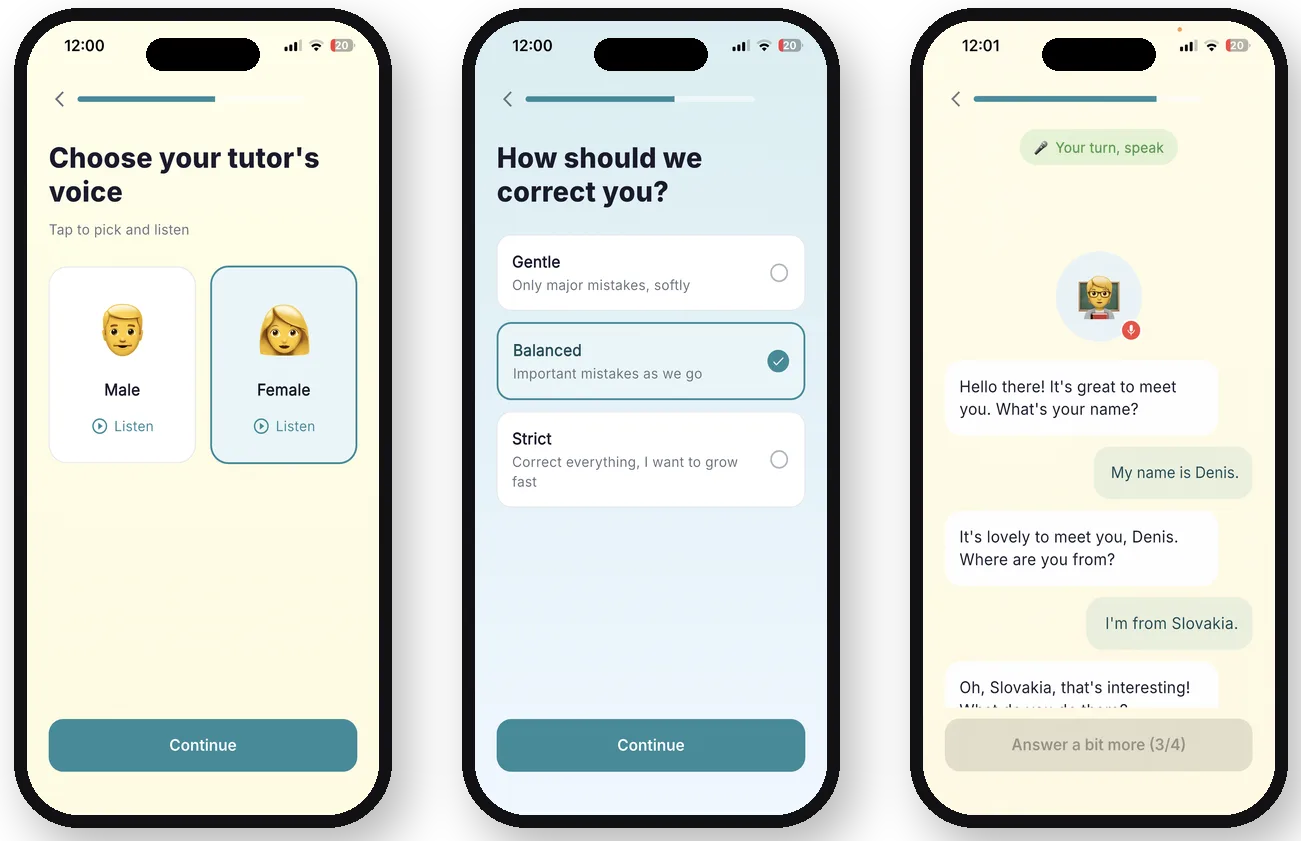
English practice built around speaking
Vuchy gives you three ways to practice. Follow a lesson when you want structure, start an open dialogue when you want freedom, or choose a topic and practice it through roleplay. You can speak without waiting for a partner or scheduling a class.
How Vuchy works
Who Vuchy is for
Vuchy is for English learners who understand lessons but need more regular speaking practice. Use it before travel, work conversations, interviews, study or everyday small talk. It does not score pronunciation: speech recognition converts your voice to text, while the core experience focuses on practicing the conversation itself.
Try one lesson free
Your first lesson is free. Continued access requires a paid subscription designed as a lower-cost alternative to many competing AI tutor products. Check the app for the current price in your country.
Questions about Vuchy
What can I practice in Vuchy?
You can take guided lessons, hold an open conversation or choose a topic for roleplay.
Does Vuchy evaluate pronunciation?
No. Vuchy uses speech recognition, but it does not provide a dedicated pronunciation score or detect every pronunciation mistake.
Is Vuchy free?
One lesson is free. More practice requires a subscription.
Do I need a speaking partner?
No. You practice directly with the AI tutor whenever you are ready.
Start practicing English with Vuchy
Button not working?
The social app may block the store from opening.
1. In the page menu (⋯ or Share), choose to open in a browser: Safari on iPhone or Chrome on Android. The option’s name may vary.
2. In your browser, tap the download button again.
No such option? Copy the page address from the social app’s menu and paste it into the address bar in Safari or Chrome.