Learn English words through active conversation
Choose your level and the topic you need now. Pick a useful word with Skazy, then learn it by answering questions that use it in context.


Button not working?
The social app may block the store from opening.
1. In the page menu (⋯ or Share), choose to open in a browser: Safari on iPhone or Chrome on Android. The option’s name may vary.
2. In your browser, tap the download button again.
No such option? Copy the page address from the social app’s menu and paste it into the address bar in Safari or Chrome.
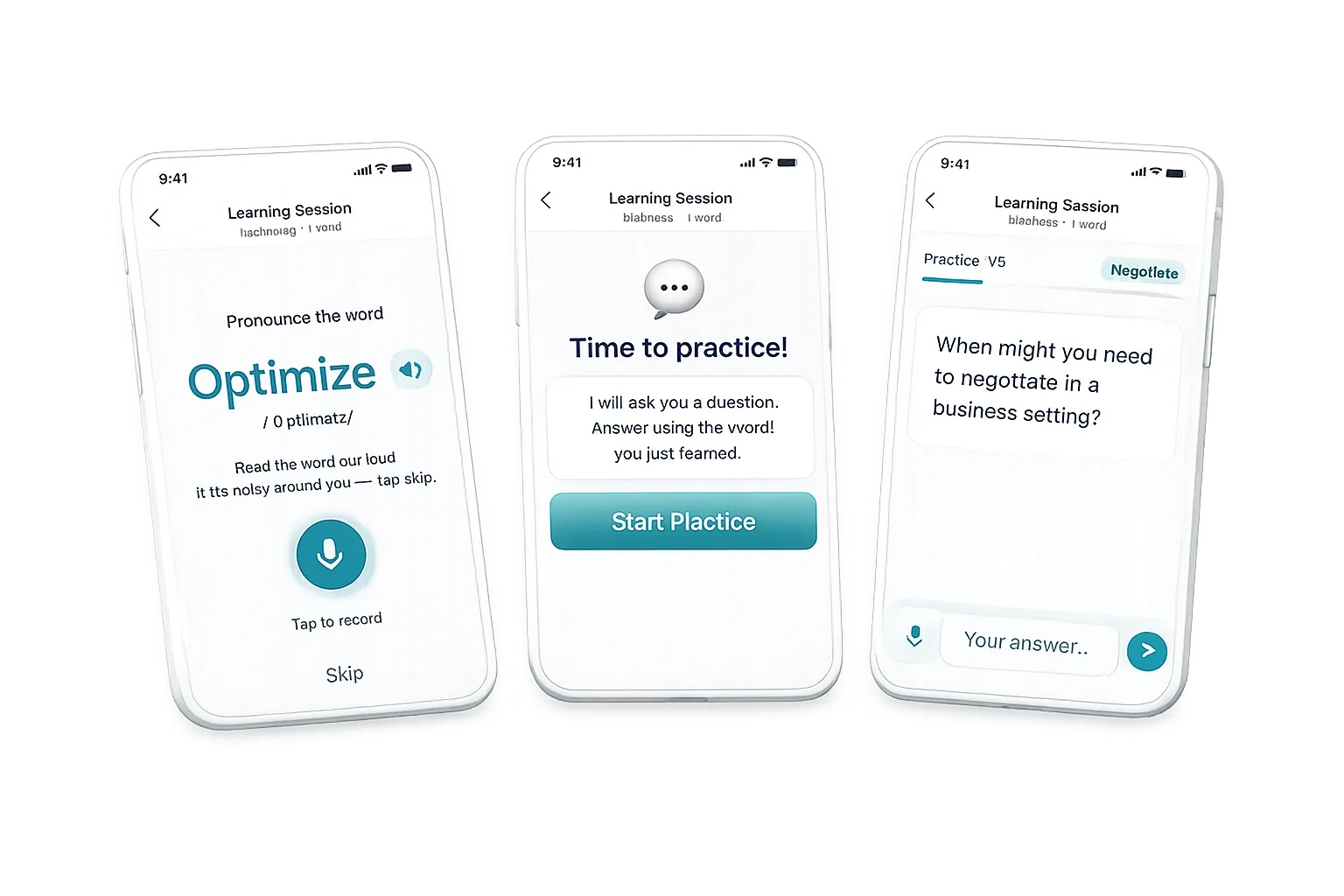
More than reading a word once
Skazy turns one selected word into a short active practice session. Instead of only showing a translation or a flashcard, the app asks questions and helps you answer using the new word. This makes the word part of a meaningful conversation and gives you a reason to recall it.
How Skazy works
Vocabulary for your immediate goal
Use Skazy when you need English words for travel, work, study or everyday communication. Because you select both the level and topic, the practice can focus on vocabulary that is useful to you now rather than an unrelated generic list.
Learn one word a day free
You can complete one word-learning session every day for free. A subscription unlocks more words and additional practice. Check the app for the current subscription price in your country.
Questions about Skazy
How does Skazy teach a word?
You choose a level and topic, select a word with the app, and answer questions that require you to use that word.
Is Skazy a flashcard app?
Its core method is active question-and-answer practice rather than only reading a flashcard.
Is Skazy free?
One word per day is free. Learning more words requires a subscription.
Can I choose what vocabulary to learn?
Yes. You choose your level and the topic you need at that moment.
Start building your English vocabulary with Skazy
Button not working?
The social app may block the store from opening.
1. In the page menu (⋯ or Share), choose to open in a browser: Safari on iPhone or Chrome on Android. The option’s name may vary.
2. In your browser, tap the download button again.
No such option? Copy the page address from the social app’s menu and paste it into the address bar in Safari or Chrome.